Parameters
Parameters give your template flexibility. They let you apply a configuration with values supplied at runtime. The most common example is the site title, but parameters can also be used for list names, security groups, metadata, and much more.
| NOTE | Every configuration requires three mandatory parameters: url, title, and owner |
Using the Make Provisioning Website
The easiest way to manage parameters is through the Make Provisioning website.
- Go to View Configurations
- Select your configuration
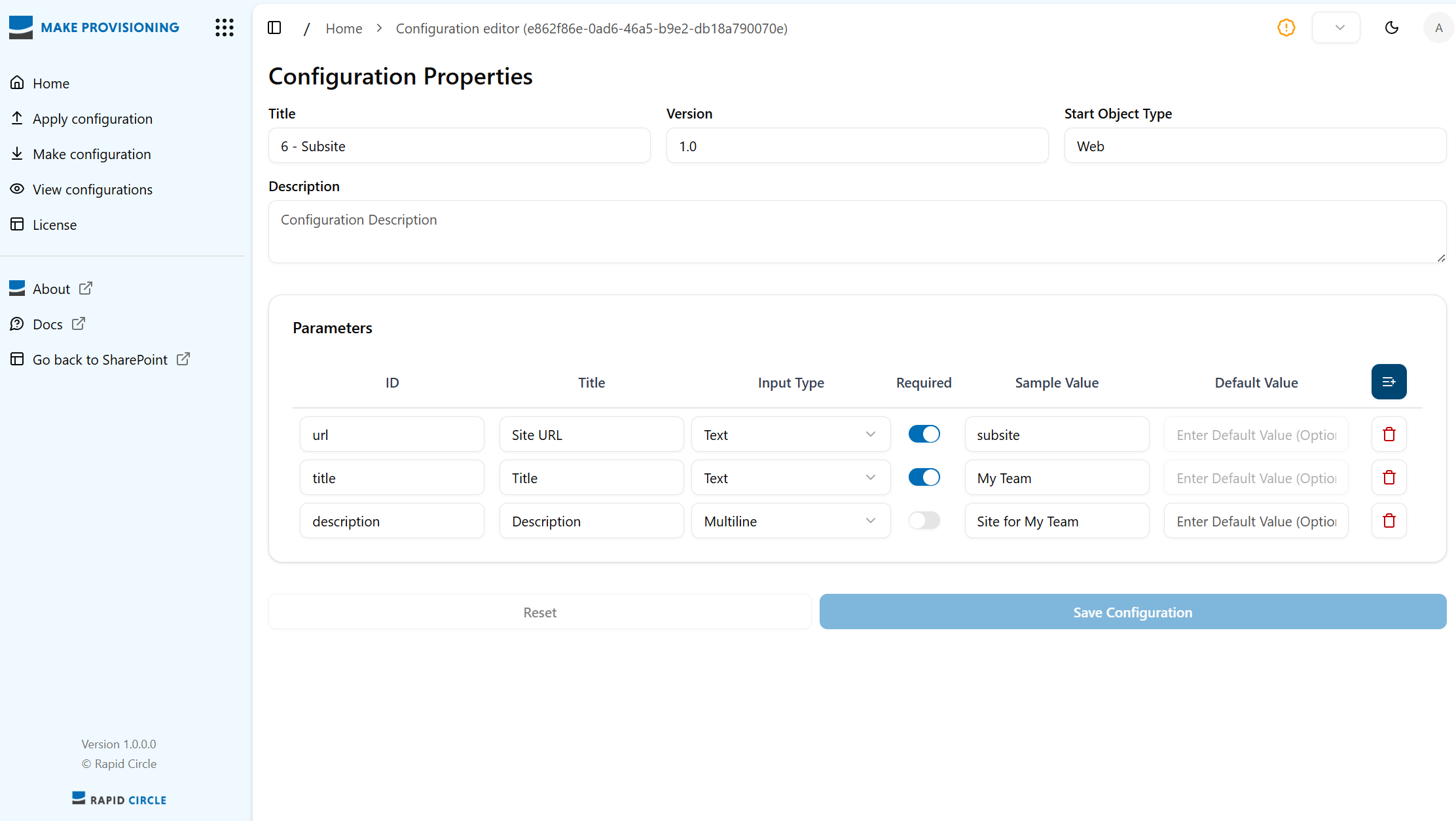
Here you can add, edit, and delete parameters.
Understanding the parameter fields
-
ID
The most important field. This value is referenced directly in your XML template.
The required IDs are:url,title, andowner. -
Title
This is what the user sees when applying a configuration. -
Input Type
Defines what value is expected. Supported types:
url,text,alphanumeric,multiline,taxonomy. -
Sample Value
A placeholder showing users an example of what to enter. -
Default Value
Pre-filled when applying the configuration—useful for parameters that rarely change (e.g., Site Collection Admin).
JSON
All parameters are stored as JSON in the Parameters metadata column of the configuration file in SharePoint.
A typical JSON structure looks like this:
|
|
If you’re comfortable with JSON, you can edit this directly in your preferred editor.
Using Parameters in Your Template
To use parameters in your XML template, reference their ID inside braces:
{title}, {sitecoladmin}, {url}, and so on.
Example:
|
|
This allows the same template to be reused with different inputs, making your provisioning workflow far more flexible.